 TempoWx
TempoWx · Flight weather
Weather briefs measured against your minimums.
TempoWx turns official aviation weather into a brief built around your flight and your limits, then watches it for you. It doesn’t tell you to go. It shows you where the weather stands against the numbers you set.
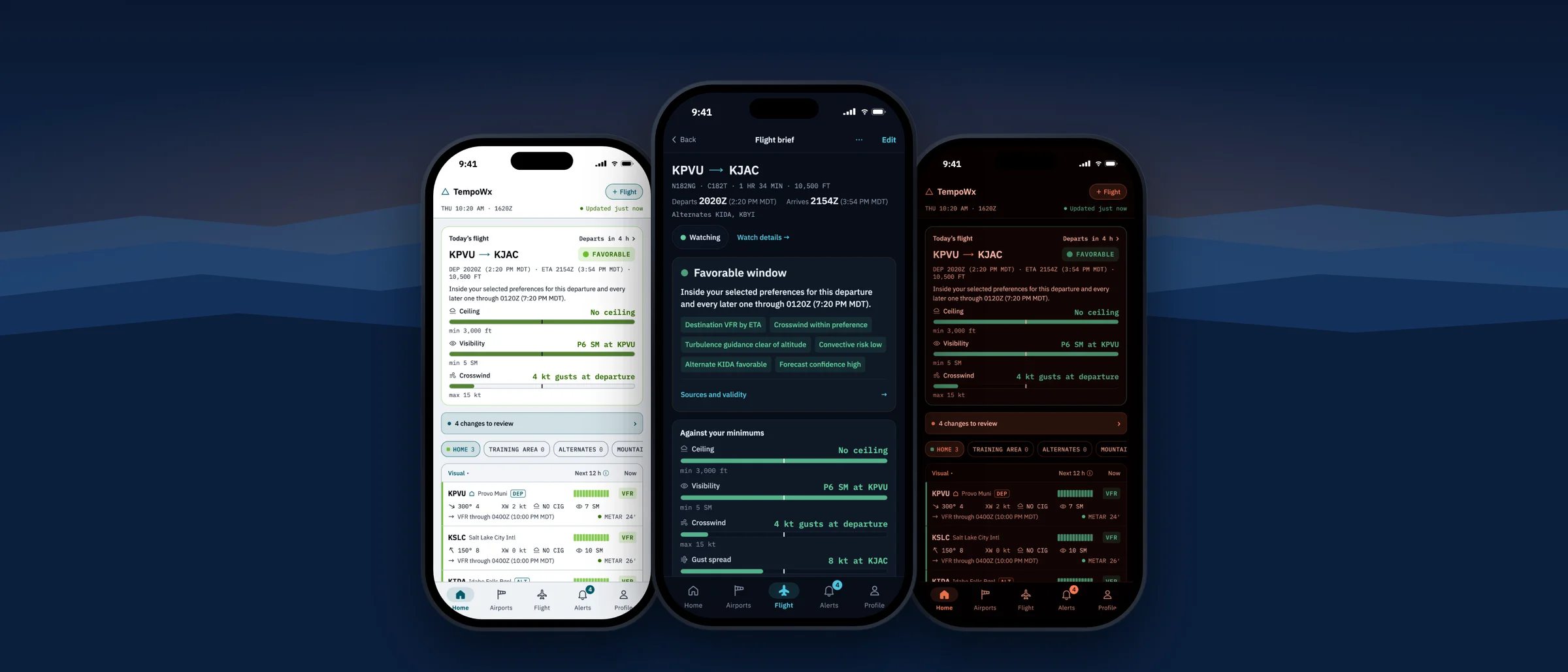
Not a go/no-go
TempoWx organizes the weather against your limits. The decision stays with you, the pilot in command.
Official sources
METARs, TAFs, PIREPs, G-AIRMETs and SIGMETs from aviationweather.gov (NOAA).
Never filled in
Every value shows its source and age. Stale or missing data is labelled, never filled in.
Plan a flight
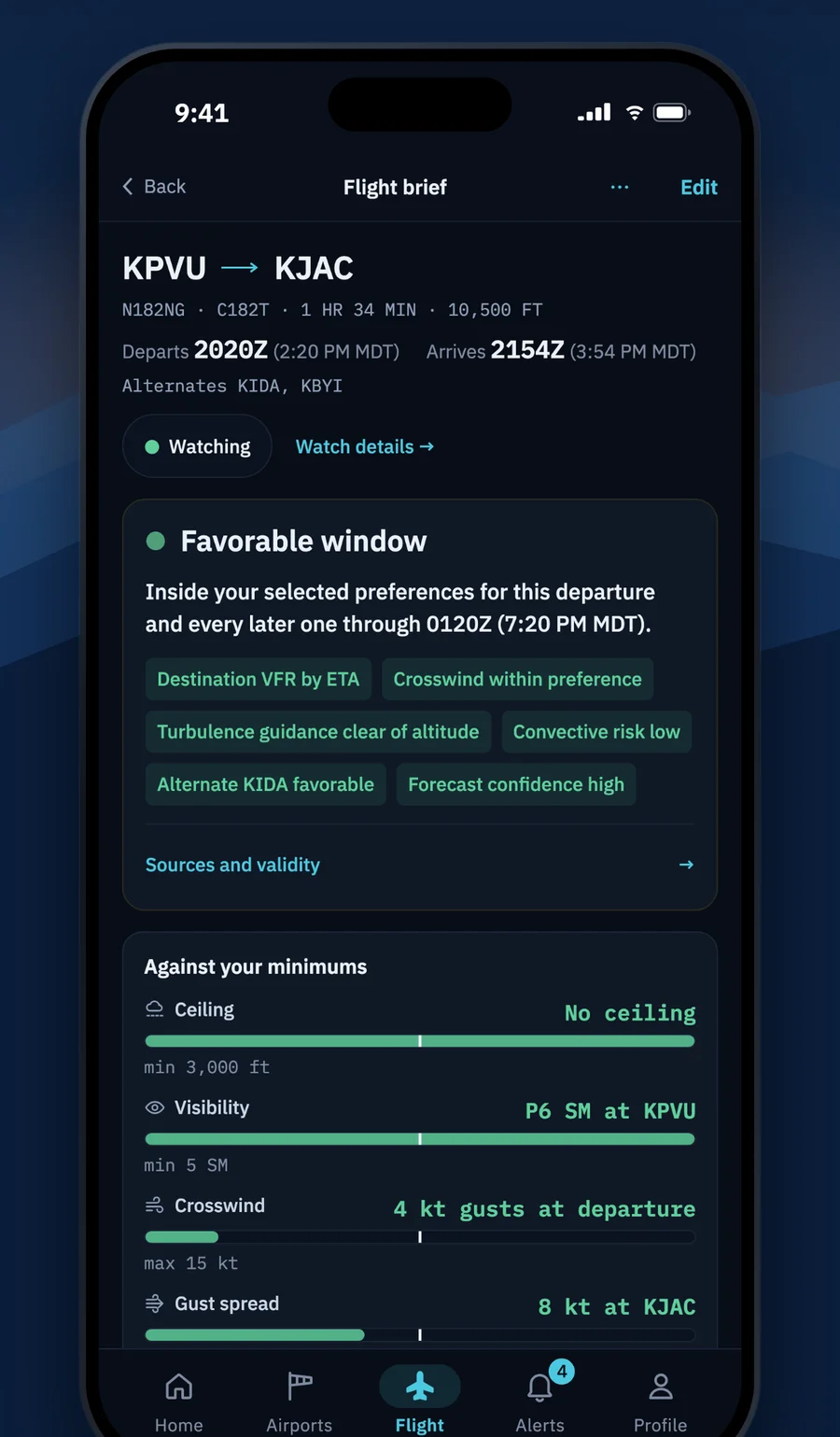
Departure, enroute and destination on one screen
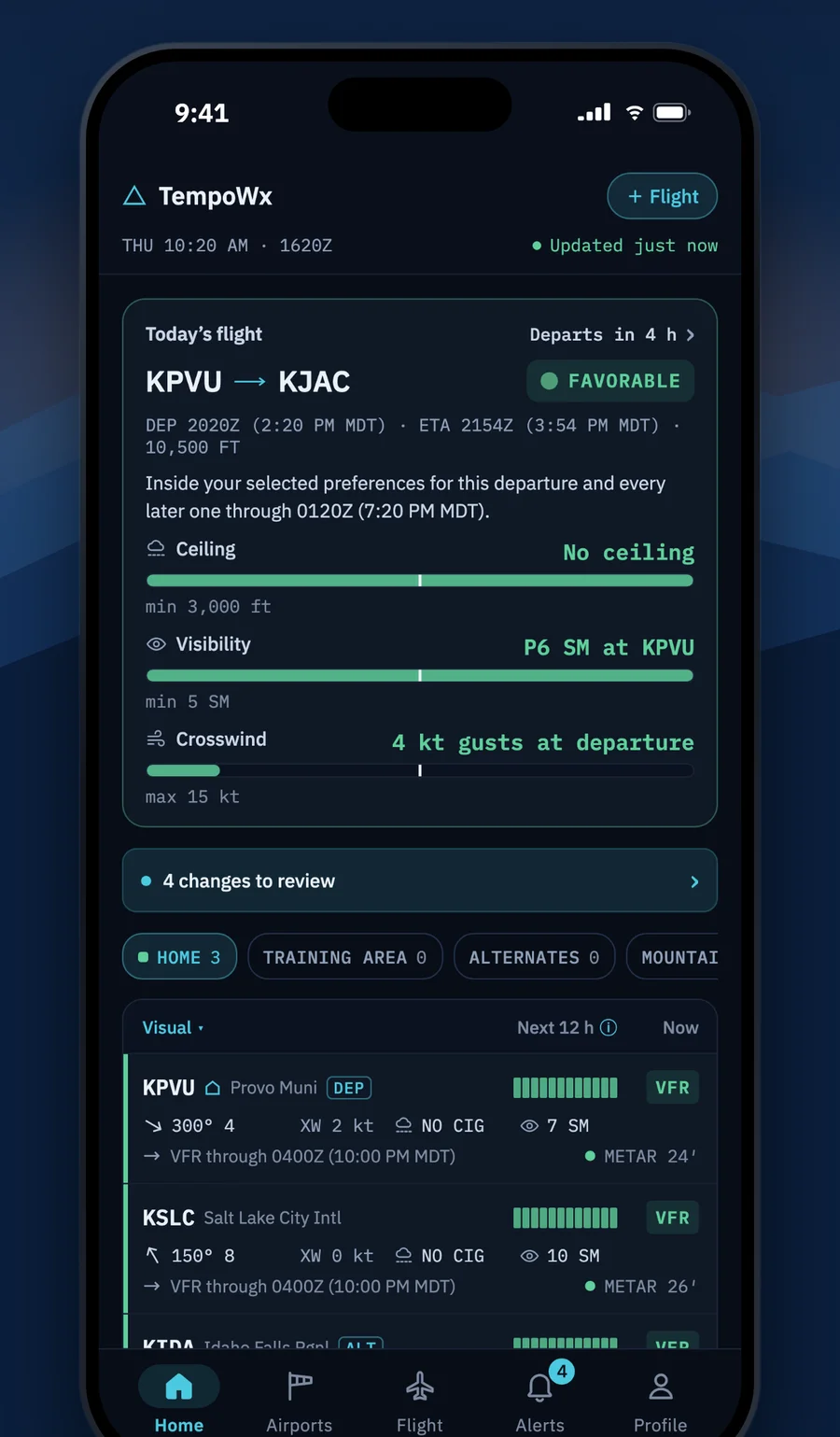
Enter your route, alternates, departure time and cruise altitude. TempoWx lays out the weather with the forecast at your ETA, not just the current report.
Your minimums, not generic ones
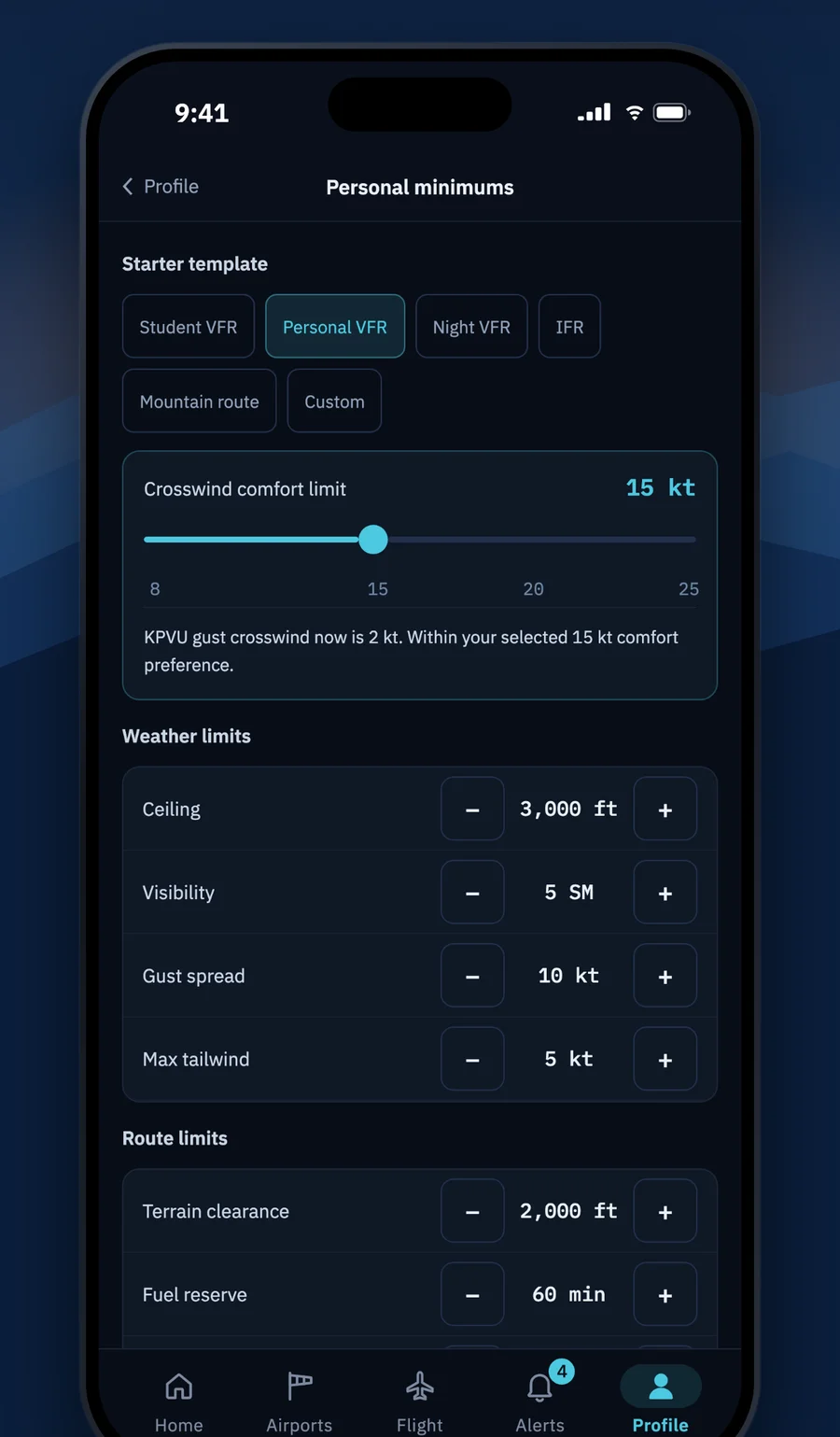
See your headroom against every limit
Set your own ceiling, visibility, crosswind, gust and tailwind limits, or start from a template: student, VFR, night, IFR or mountain. Every brief shows how much headroom you have against each one.
Slide the departure time
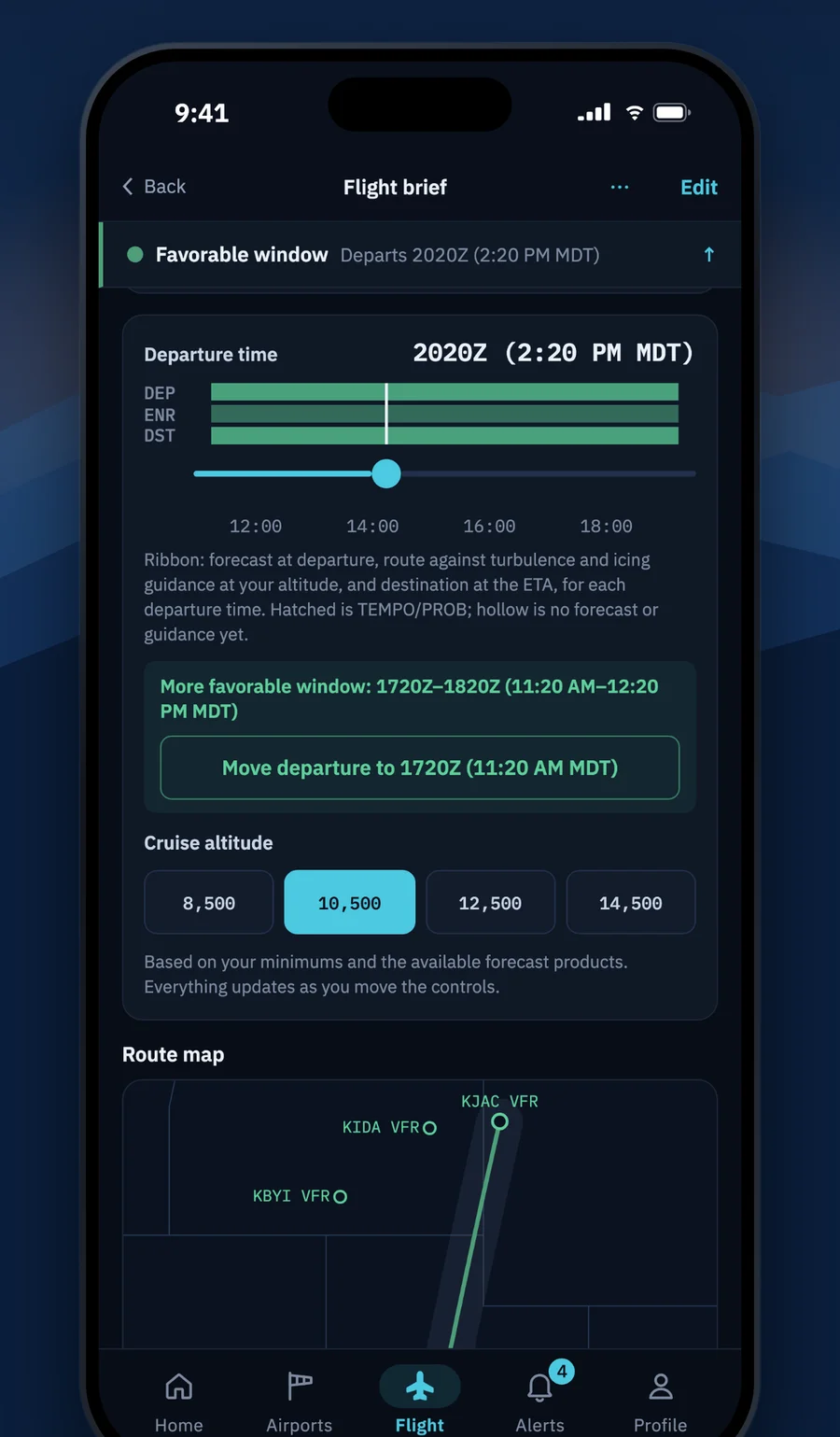
Leave later, and the whole brief follows
Drag the departure slider and the brief recomputes on your phone: status, ETA weather, crosswind on the best runway, and the hazard guidance along your route at your altitude.
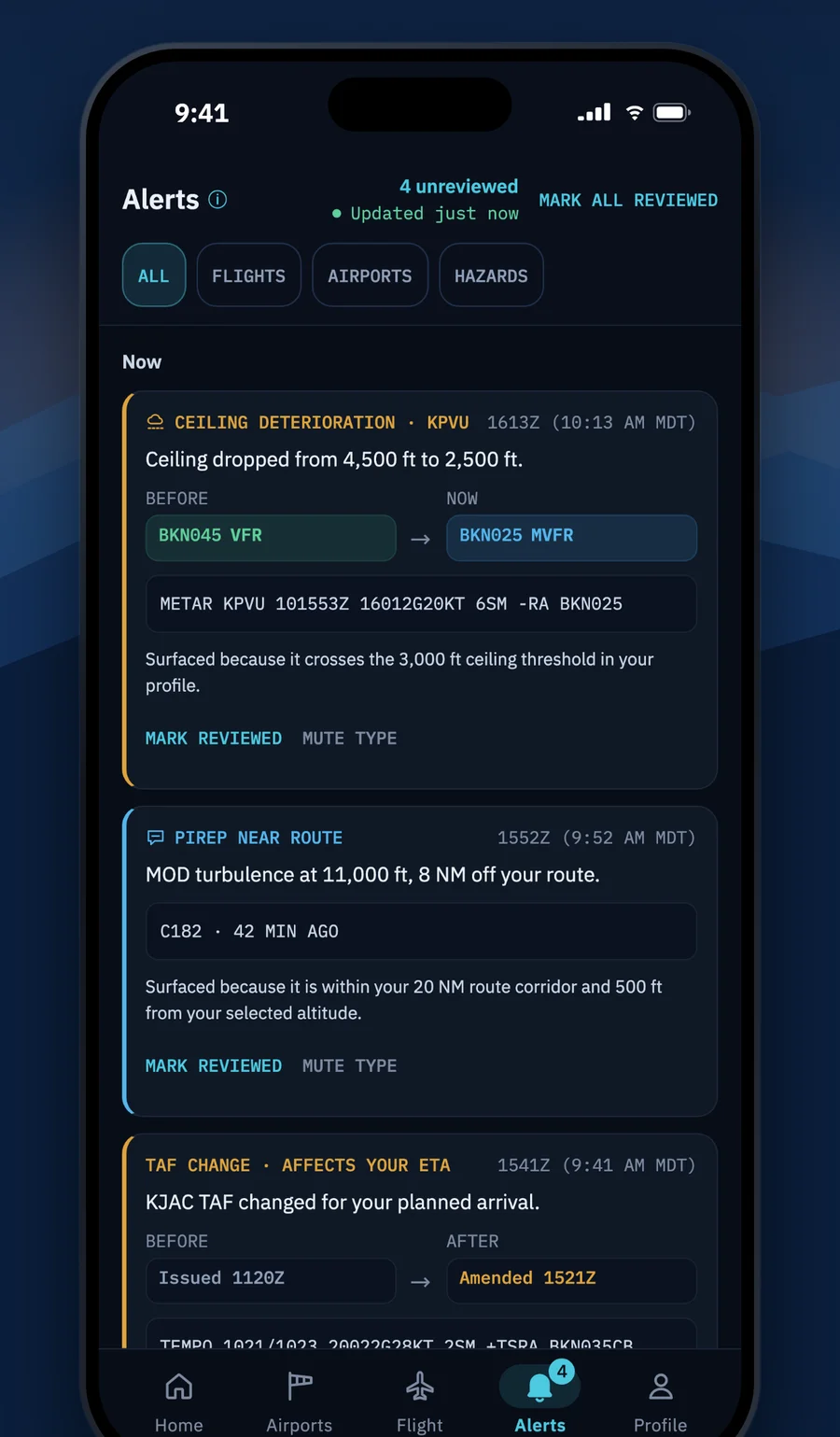
Watch a flight
One clear alert when the forecast changes
Turn on a watch and TempoWx checks the weather every few minutes. A TAF amendment, a ceiling or visibility change, a PIREP near your route or new hazard guidance gets you one clear alert, held until morning during your quiet hours.
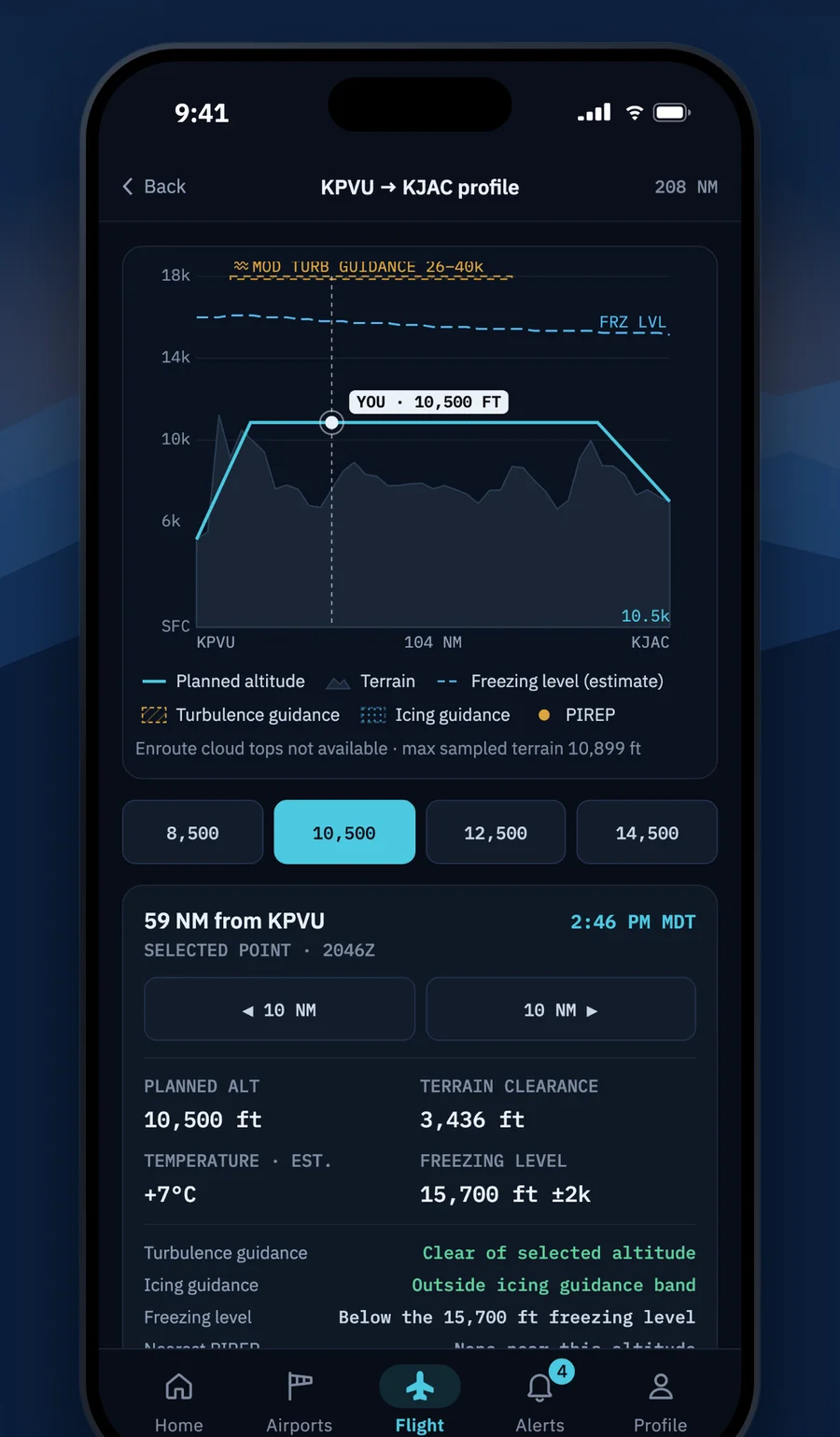
Route profile
Terrain, freezing level and hazards at your altitude
See the route in profile with terrain, the freezing level, and turbulence and icing guidance along the way, at the altitude you plan to fly.
Airport boards
Every airport you fly, at a glance
METAR, TAF, runway winds and a crosswind gauge for each field, with TAF timelines that mark TEMPO and PROB periods.
Also inside
- Density altitude notes for hot or high fields
- Share a frozen briefing with an instructor or passenger
- Weather replay: how past TAFs compared with what happened
Free to start. Pro when you want every flight watched.
The free tier includes your first watched flight. Pro starts with a 14-day free trial.